Finding TikTok Drafts Saved Outside the App
Why TikTok save to drafts might not show your posts
If you've used the "Save to Drafts" option in TikTok config settings but don't see your posts in the drafts folder, it can be a bit confusing. TikTok's "Save to Drafts" option through post bridge doesn’t save the content to your usual TikTok drafts folder inside the tikok app.
Where to find posts saved as drafts in tiktok sent from post bridge:
Instead of appearing in the normal drafts section, these posts show up as a system notification within the TikTok app. Look for a notification in your TikTok inbox that says something like "Your content from post bridge is ready." Clicking this notification will take you to the drafted media where you can review and post it.
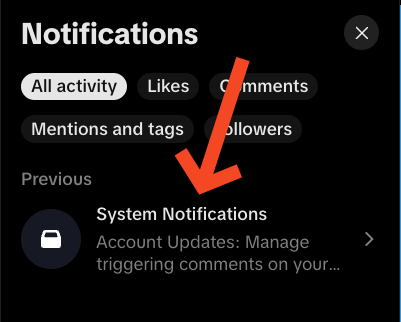
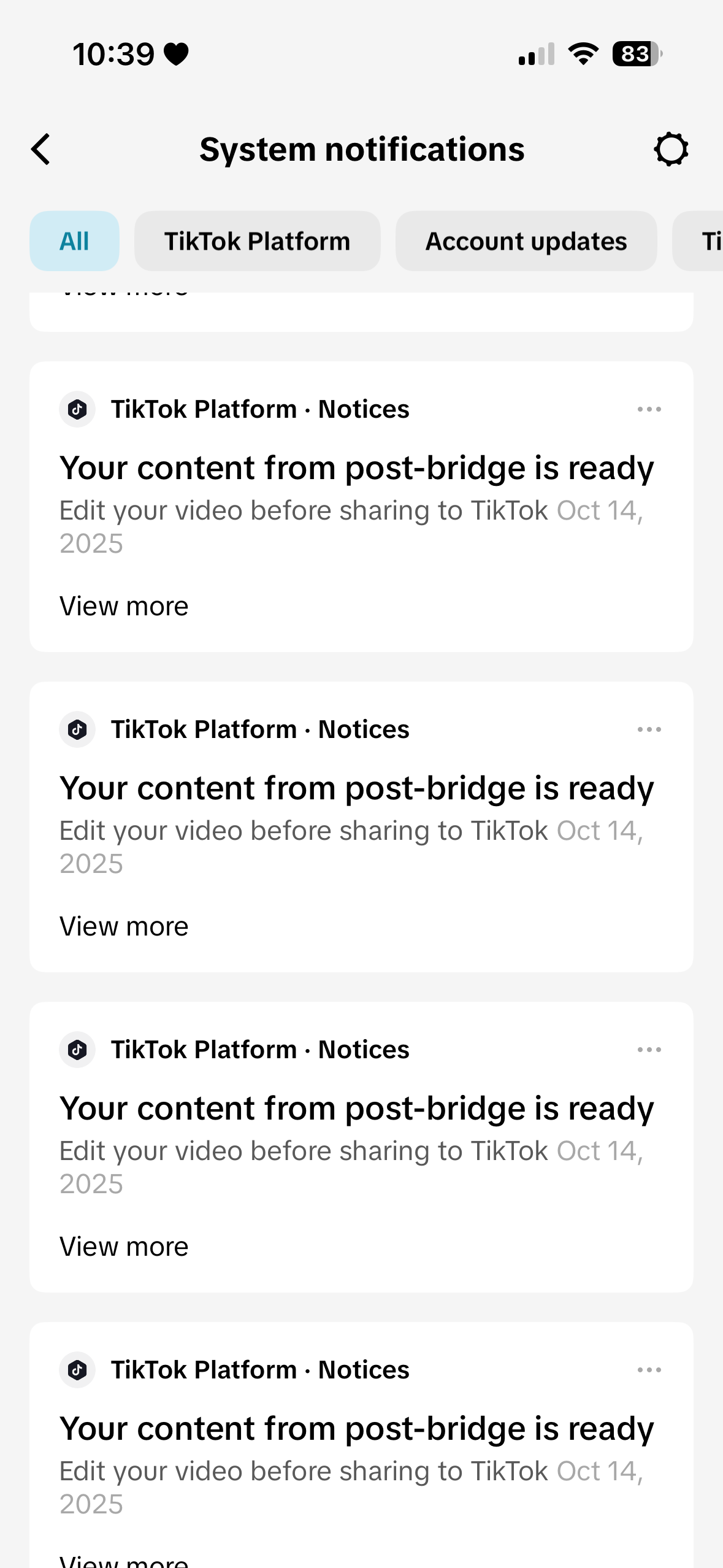
By following these steps, you should be able to locate your saved drafts or understand where TikTok places them when using the "Save to Drafts" feature outside the standard app interface.